Team SMS, built for Zoho CRM

PulseText

PulseText replaces shared logins, scattered spreadsheets, and provider consoles with one inbox — embedded inside Zoho CRM or running standalone. Connect Twilio, Sinch, or MessageMedia; tag and assign conversations; template, schedule, and send; ship Zoho Sign requests with a single tap — all with role-based access, real-time updates, and a full audit trail.

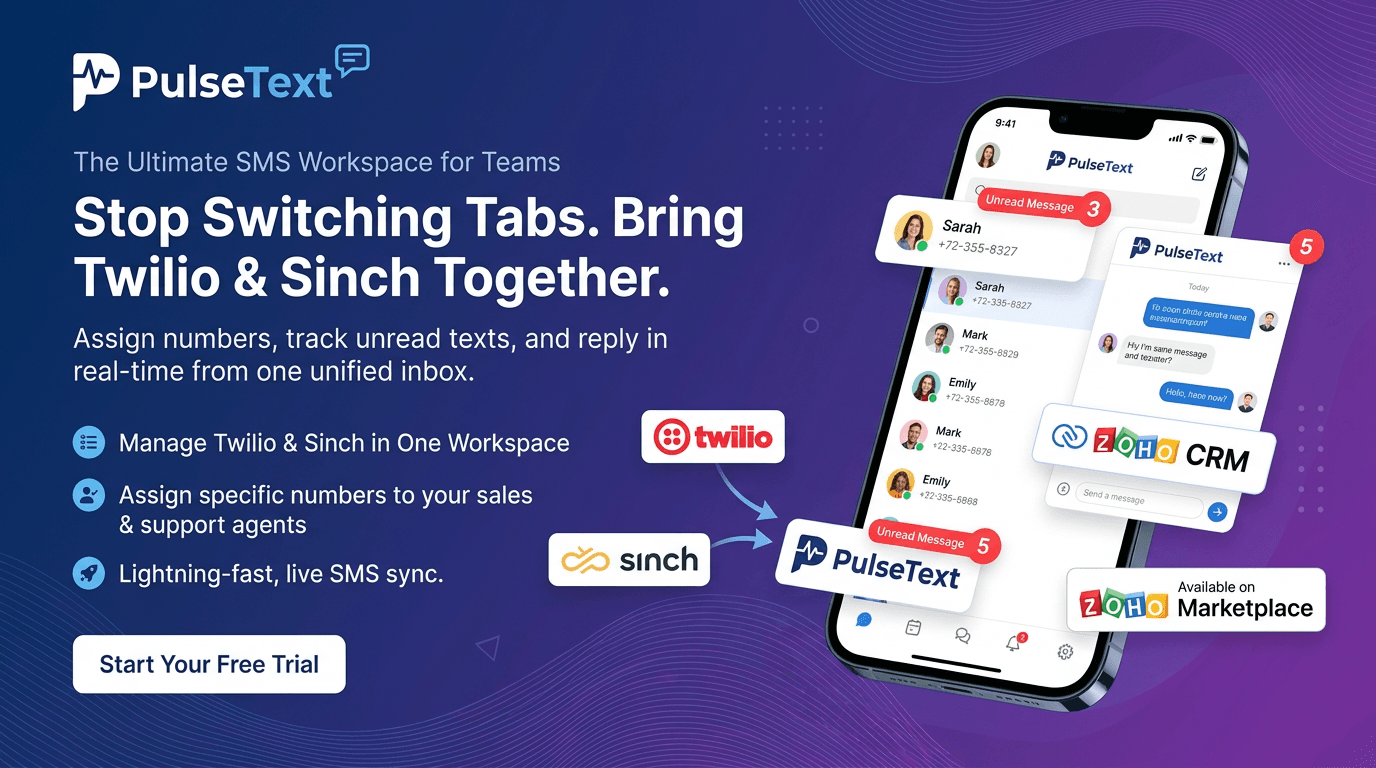
PulseText — team SMS workspace banner

60-second tour

See PulseText in motion

A quick look at the unified inbox, multi-provider sending, and real-time team collaboration.

Overview

Team SMS, organised end-to-end

PulseText is the team-SMS workspace your sales, support, and operations teams have been retrofitting on top of provider consoles, spreadsheets, and shared logins. We replace that mess with a real product — multi-tenant by design, role-based, and built to run in three modes: full SaaS at its own URL, embedded inside Zoho CRM as a widget, or pinned to a single customer's conversation when a CRM record launches the dialer directly.

Connect Twilio, Sinch, or MessageMedia (one or all at once), sync your numbers, and get to work. Agents only see the numbers and conversations they're meant to handle. Workspace-wide colour-coded tags, per-conversation assignments with Mine / Unassigned filters, and per-contact internal notes keep the inbox organised. Templates with {{link}} placeholders, pinned attachments, and scheduled sends let your team move faster without copy-pasting.

Attach files from your computer, a URL, Google Drive, or Zoho WorkDrive — up to 10 per message, with inline previews. Send Zoho Sign documents straight from a thread: browse existing files or build a new sign request from a template, and drop a one-tap embedded signing URL into the SMS. Light / Dark / System themes, real-time delivery across every signed-in member, a browser-tab unread count with opt-in sound, and an admin Reports dashboard with KPI cards, daily volume, and top agents / numbers / tags.

Every meaningful action — sign-ins, invites, role changes, provider connect/disconnect, number assignments, access decisions, embed launches, workspace switches — lands in a filterable workspace-wide audit log. Search by email, number, or message id; export for compliance.

Features

What's inside

Everything you need to get the most out of the product.

Unified Team Inbox

One real-time inbox for every number you own. Conversations bubble to the top on activity; unread counts, assignments, and tags surface what needs attention.

Threaded Conversations & MMS

Full-fidelity threads with delivery status, internal notes, and up to 10 attachments per message — files, images, audio, video, and vCards.

Templates with Placeholders

Reusable message bodies with {{link}} placeholders and pinned attachments. Private or workspace-wide visibility; usage tracked per template.

Scheduled Sends

Queue outbound messages for any future time and manage them from a single workspace-wide queue. Edit, reschedule, or cancel with one click.

Multi-Provider SMS

Connect Twilio, Sinch, and MessageMedia in parallel. Credentials stay server-side, numbers sync automatically, and switching providers preserves message history.

Cloud Accounts

Attach from Google Drive, Zoho WorkDrive, or any URL. Send Zoho Sign requests straight from a thread — browse existing docs or build new ones from templates.

Real Teams, Role-Based

Owner, Admin, and Agent roles per workspace. Invite by email with a temporary password flow; every role change lands in the audit log.

Multi-Workspace Architecture

One account, many organizations. Strict isolation between workspaces — separate contacts, numbers, and history per org with one-click switching.

Tags, Assignments & Notes

Workspace-wide colour-coded tags, per-conversation assignments with Mine / Unassigned filters, and per-contact internal notes that never leave the dialer.

Zoho Sign Integration

Browse existing Zoho Sign documents or build a new sign request from a template. Drop a one-tap signing URL straight into the SMS — no portal hopping.

Reports Dashboard

Daily volume, KPI cards, top agents / numbers / tags. Pick a 7 / 30 / 90-day window for capacity planning, quality checks, and performance reviews.

Full Audit Log

Every meaningful action recorded with actor, timestamp, and detail — sign-ins, role changes, message sends, provider connects, embed launches, access decisions.

A unified inbox for the whole team

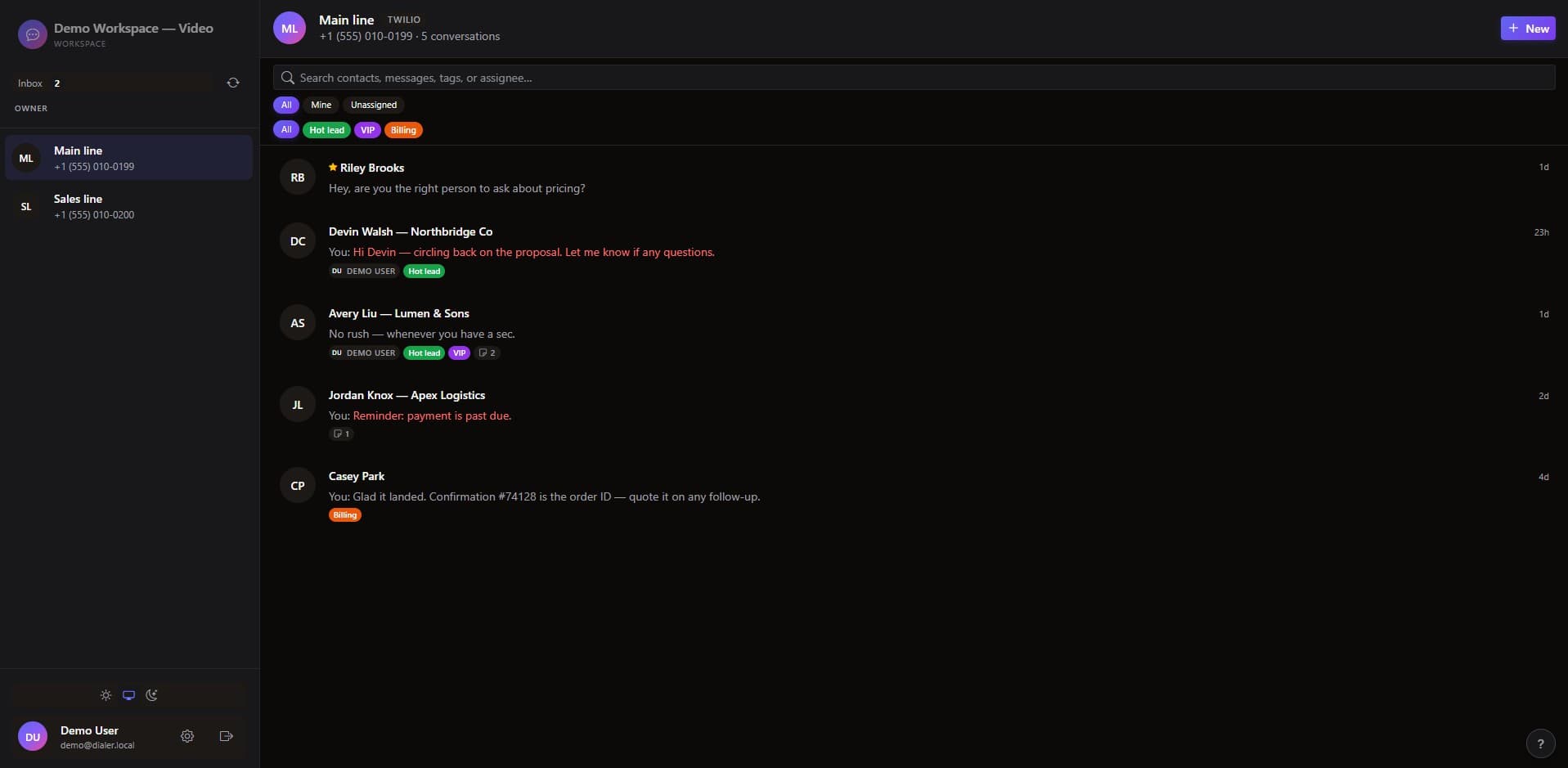
Every conversation across every number, in real time. Live unread counts, search, tag filters, and Mine / Unassigned pills keep your agents focused on the threads that need them.

  • Conversations bump to the top on inbound activity
  • Filter by tag, assignment, or unread status
  • Per-workspace isolation — agents only see their numbers
PulseText unified team inbox overview
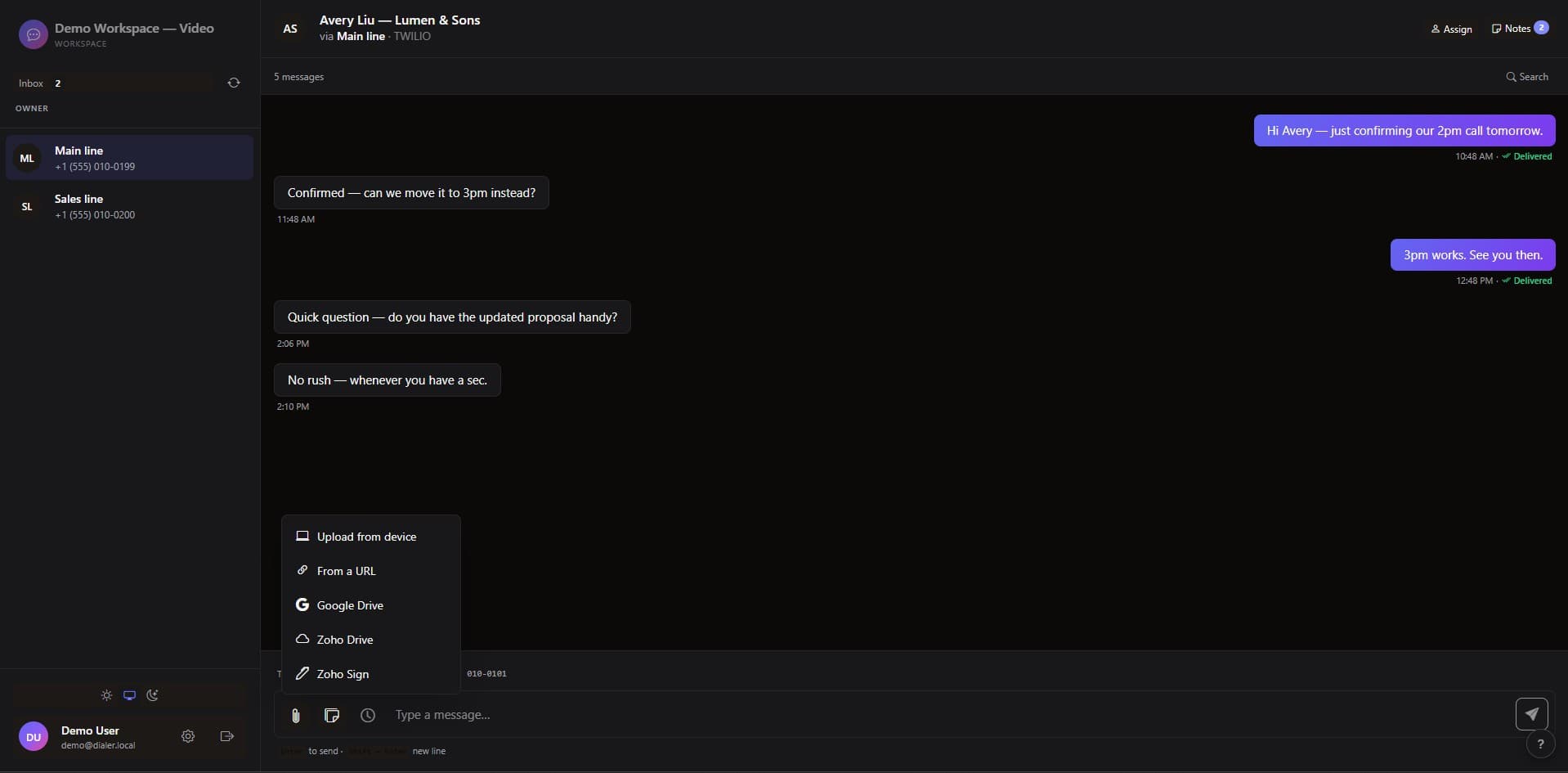
PulseText conversation thread with attachments and notes

Rich conversation threads with notes & attachments

Open a thread and see the full message history, delivery state, internal notes, and any attachment — files, images, audio, video, even vCards. Tag, assign, and add notes inline without leaving the conversation.

  • Up to 10 attachments per outbound message
  • Inline previews for images and PDFs
  • Per-contact internal notes — agent-only, never sent over SMS

Templates with {{link}} placeholders

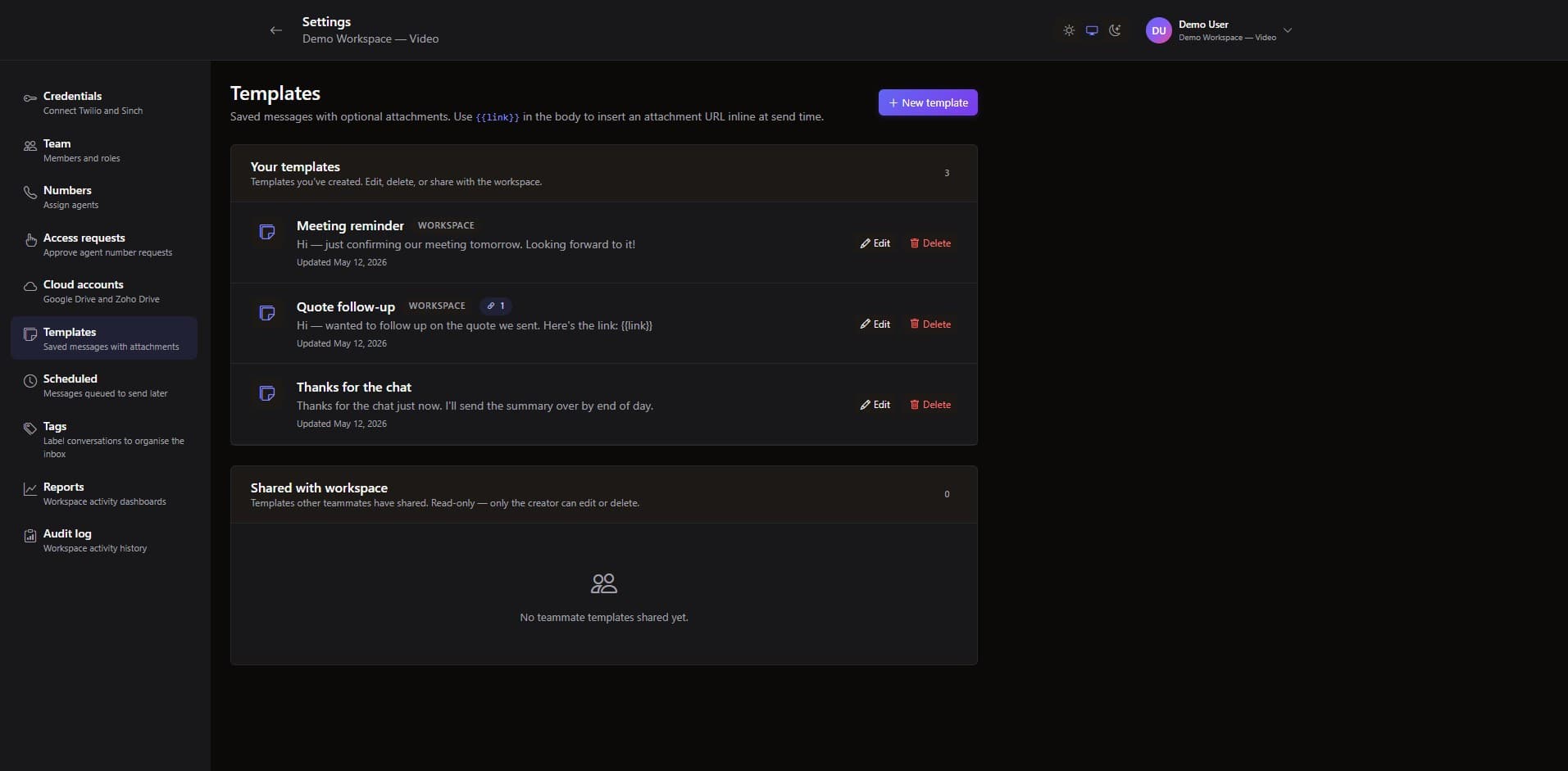
Stop copy-pasting. Author reusable message bodies with smart placeholders and pinned attachments, then drop them into any thread in a click. Workspace-shared or private to you.

  • {{link}} placeholders auto-expand with one-time URLs
  • Pin attachments so they ship with every send
  • Private templates for personal canned replies
PulseText templates management screen
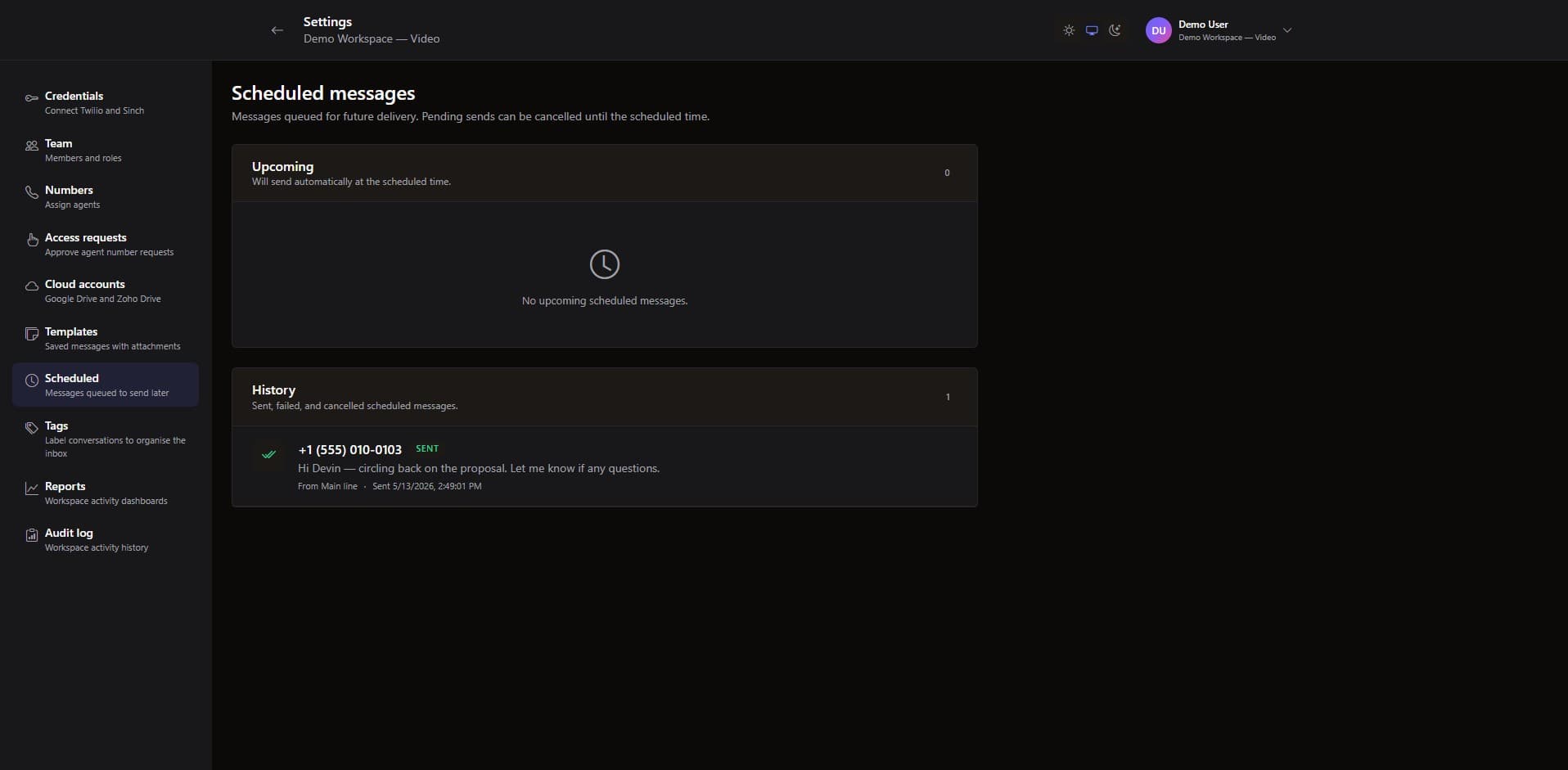
PulseText scheduled messages queue

Schedule sends, manage one queue

Pick a future time and let PulseText handle delivery. Every scheduled message lands in a single workspace-wide queue — edit, reschedule, or cancel up to the moment it goes out.

  • One workspace-wide queue, sortable by send time
  • One-click cancel before delivery
  • Audit-logged: who scheduled, who cancelled, when

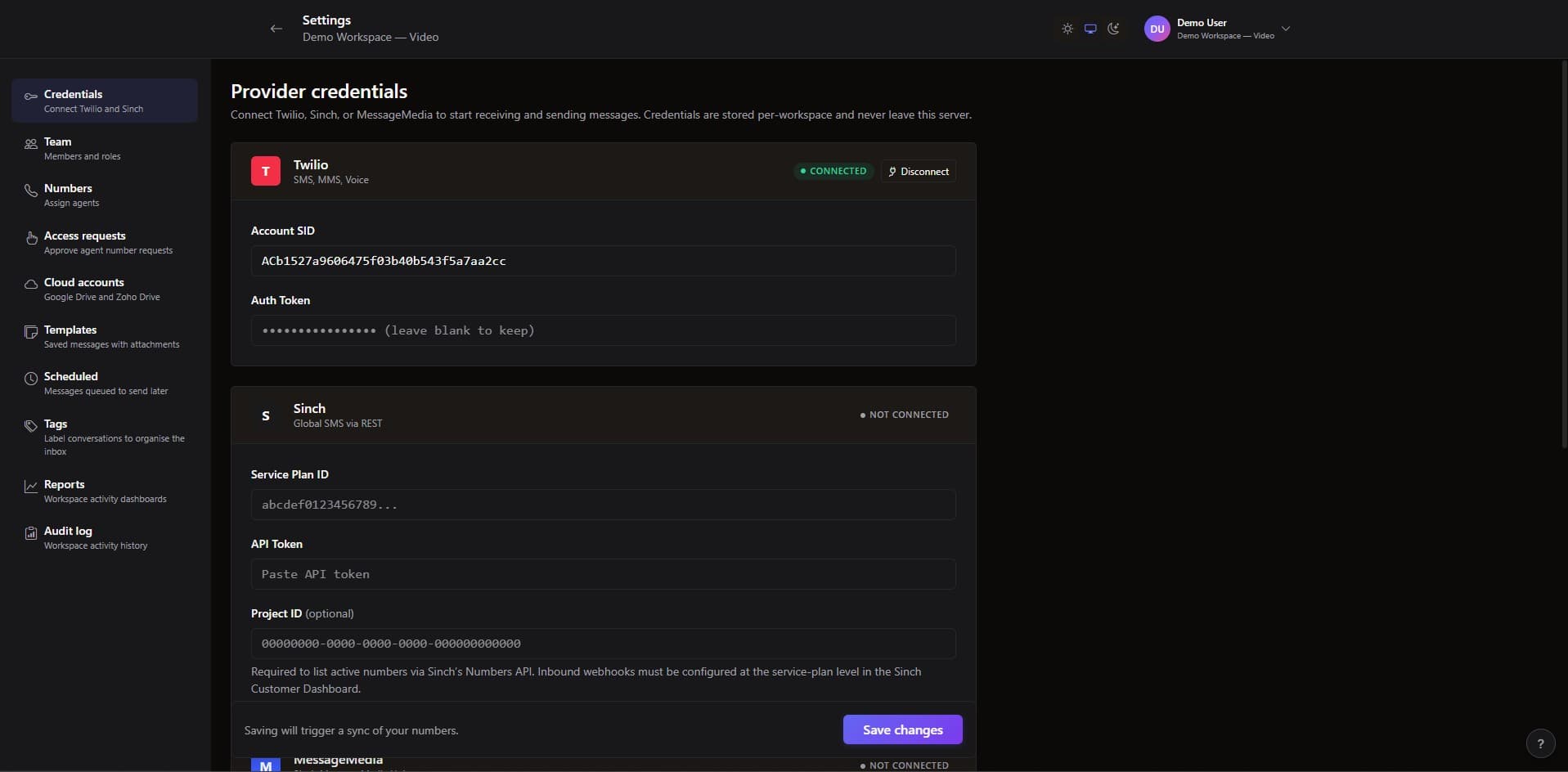
Connect Twilio, Sinch, or MessageMedia

Save provider credentials once and PulseText handles sync, inbound routing, delivery status, and token rotation. Connect one provider or all three; agents send via whichever number they pick.

  • Per-organization credentials, server-side only
  • Token rotation with masked input — leave blank to preserve
  • Manual number registration where providers lack a list API
PulseText provider and workspace settings
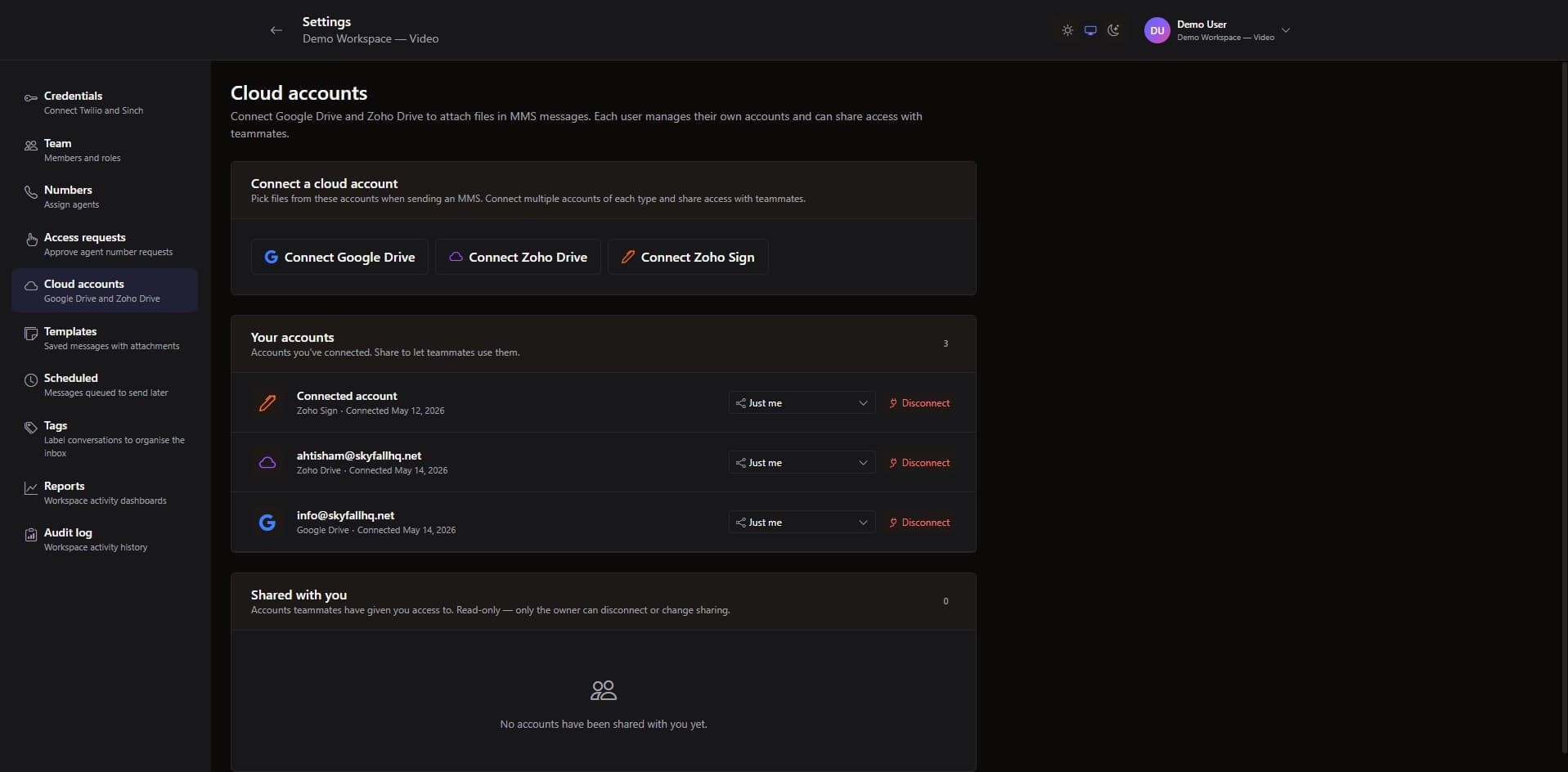
PulseText connected cloud accounts panel

Cloud accounts: Drive, WorkDrive, Zoho Sign

Connect Google Drive, Zoho WorkDrive, and Zoho Sign once per user and share access with teammates you nominate. Attach from any cloud and ship signing URLs straight from the composer.

  • Per-user OAuth — shareable with nominated teammates
  • Attach from Drive or WorkDrive without leaving the thread
  • Zoho Sign: browse, attach, or build new sign requests inline

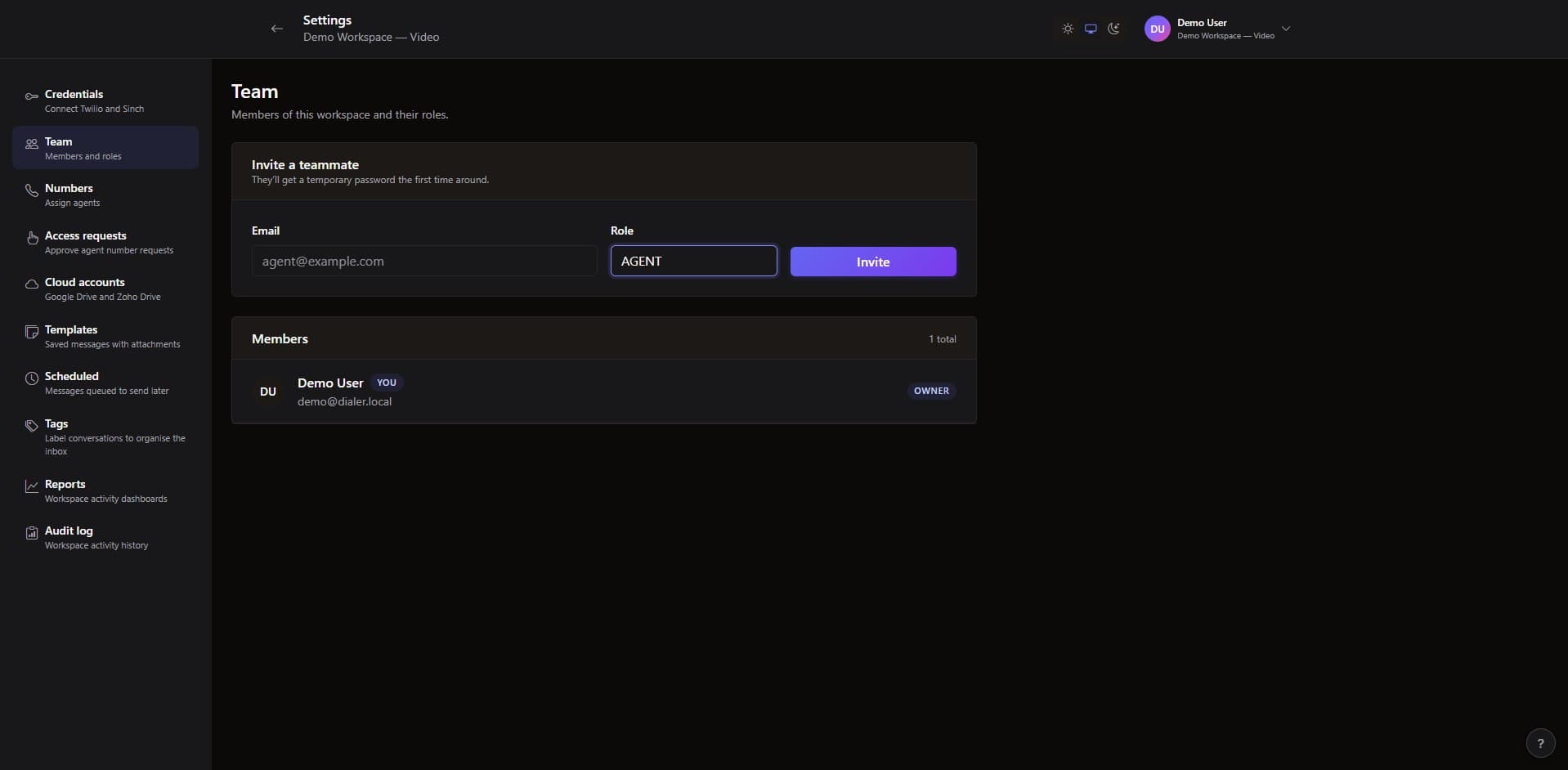
Real teams with role-based access

Invite teammates by email, pick their role, and let constraint-aware controls keep configuration safe. No demoting the only owner, no escalating yourself, no orphaned numbers.

  • Owner / Admin / Agent role per workspace
  • Temporary password flow with forced change on first sign-in
  • Inline role changes recorded in the audit log
PulseText team members and roles screen

Full walkthrough

The complete PulseText overview

A deeper walkthrough — from provider setup and number sync through templates, scheduling, Zoho Sign, and the audit log.

What people say

Customer voices

★★★★★

Switching to PulseText let us retire three shared logins overnight. Now every text is attributed, every transition is in the audit log, and our reps stopped texting prospects from their personal phones.

Sarah Mitchell
Head of Sales Operations, Linton & Co (USA)
★★★★★

The access-request workflow is the feature we didn't know we needed. New agents file a request, we approve in one click, and the audit log captures the whole thing — perfect for our compliance team.

Marcus Webb
Support Lead, Beacon Health (UK)
★★★★★

We run SMS for four client accounts. PulseText's per-workspace isolation and role-aware UI means our agents can move between brands without ever seeing the wrong inbox.

Priya Desai
Operations Director, Northwave Agency (Canada)
★★★★★

Real-time delivery, threaded conversations, and Zoho Sign requests built straight into the SMS composer. Skyfall shipped the product I wanted to build internally — and saved my team six months of plumbing.

Ahmed Hossain
Founder & CEO, Lumen Logistics (UAE)

Changelog

Release Notes

v1.4

Tags, assignments, notes & reporting

  • Workspace-wide conversation tags with a 10-colour palette, usage counts, and one-click filter pills.
  • Per-conversation assignments with Mine / Unassigned filter pills and real-time fan-out across the team.
  • Internal notes per contact — workspace-wide, agent-only, never transmitted via SMS.
  • Admin Reports dashboard: KPI cards, daily volume chart, top agents / numbers / tags across 7 / 30 / 90-day windows.
  • Browser tab unread count and opt-in sound notifications on inbound messages.
v1.3

Zoho Sign integration

  • Browse existing Zoho Sign documents straight from the SMS composer — filter by status, search by name.
  • Attach as PDF, insert a one-time embedded signing URL, or both.
  • Builder flow: create a brand-new sign request from a Zoho Sign template and drop a signing URL into the SMS.
  • Shareable Zoho Sign connections — your account becomes available to teammates you nominate.
v1.2

Quality-of-life & error surfacing

  • Sharper signup errors — the page now tells you exactly what clashed (your email, an existing workspace, or an embedder identifier).
  • Cloud connect popups keep errors on screen with a Close button instead of flashing closed.
  • Long-press context menus on touch devices for pin / assign / tag operations.
  • Mobile composer adjustments to disable iOS auto-zoom on focus.
v1.1

Templates, scheduling & Drive integrations

  • Templates with {{link}} placeholder, pinned attachments, and private / workspace visibility.
  • Scheduled messages with a single workspace-wide queue and one-click cancel.
  • Google Drive and Zoho WorkDrive pickers in the attachment menu, with per-user connection sharing.
  • Cross-number contact view — every message a contact exchanged with any of your numbers, in one timeline.

Want to learn more about PulseText?

We're happy to walk you through the product, answer questions, or scope a custom rollout for your team.

Get In Touch